
ARDGE Finder
Find and manage your ARDGE AI Servers with ease
ARDGE Finder automatically discovers every ARDGE AI Server on your local network (LAN), so you never have to type an IP address. Select a device and open its ARX OS web management console in one click — making day-to-day operations faster and more intuitive.
See every device at a glance and jump straight to the console
Launch ARDGE Finder and it lists every ARDGE AI Server detected on the local network — server name, IP address, MAC address, firmware version, and model — so you can confirm which device is which and connect right away.
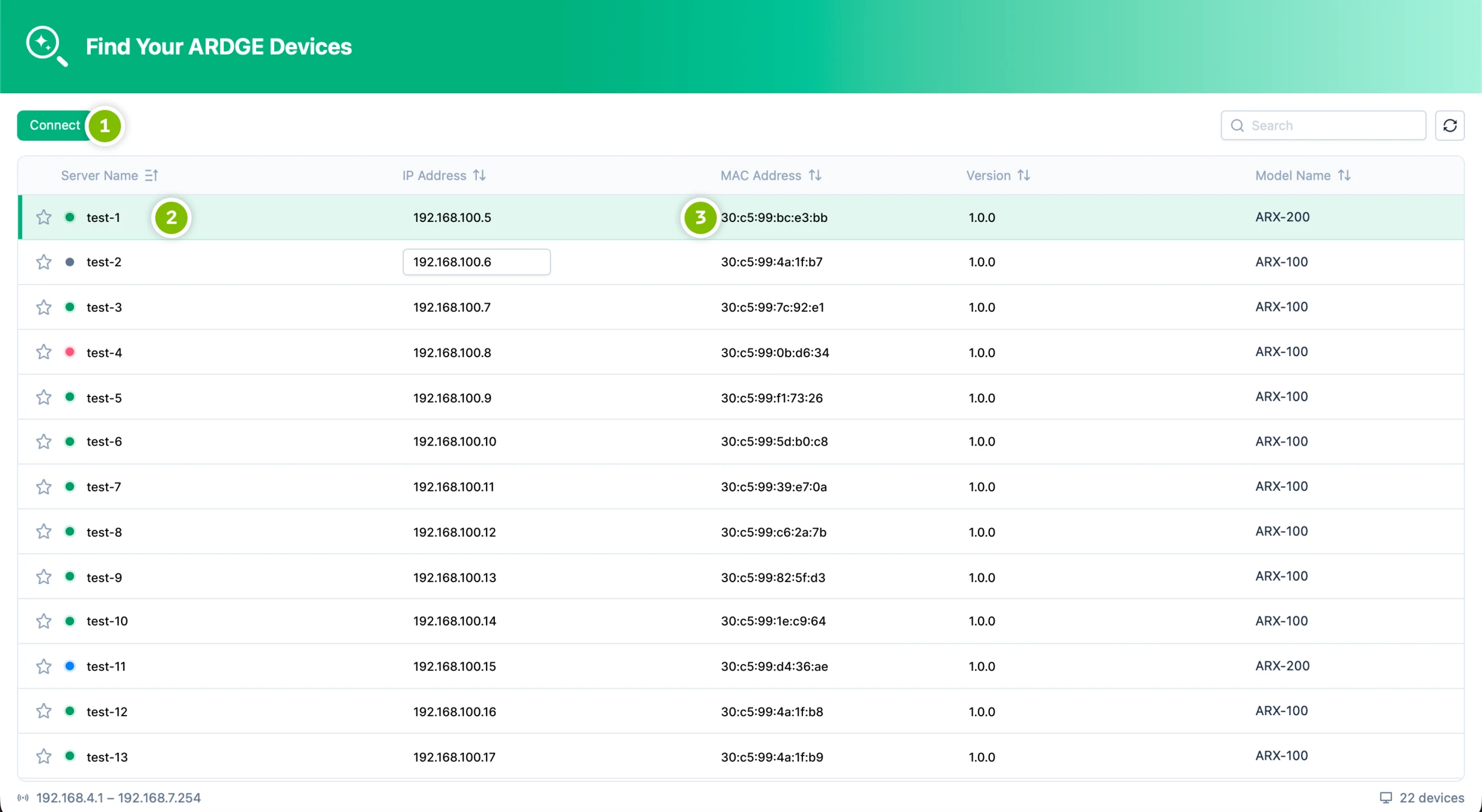
Connect button
Select the device you want to manage and click Connect. ARDGE Finder opens that device's ARX OS web management console in your computer's default browser.
Device information row
The list shows server name, IP address, firmware version, and model together, so you can track several devices at once.
MAC address
Use MAC addresses to tell multiple devices apart. Each device's MAC address is also printed on the label on its chassis.
Supported on every major desktop OS — install and go
ARDGE Finder is available in the builds below. Once installed, you can start discovering, connecting to, and managing your ARDGE AI Servers.
Linux
Debian/Ubuntu, Fedora/RHEL, etc. · v1.0.1
x86_64 (.deb) aarch64 (.deb) x86_64 (.rpm) aarch64 (.rpm)Frequently Asked Questions
When you open ARDGE Finder it automatically scans the local network (LAN) for ARDGE AI Servers and lists each device's name, IP address, and firmware version. Pick the device you want to manage and click Connect — its ARX OS web management console opens in your default browser.
Check the label on the bottom of the chassis — the device's MAC address is printed on it.